KWC In Progress
- KWC
- Lisa
- Master's Degree in Computer Graphics, Games & VR @ Rey Juan Carlos University
- Kamihi
- Club App
- Shotō
- Erasmus+ in Politecnico di Milano @ Politecnico di Milano
- Flight
- Research and Development Fellow @ ES3
- Bachelor's Degree in Software Engineering (English Group) @ University of Seville
- Technical Office Assistant @ Encasa
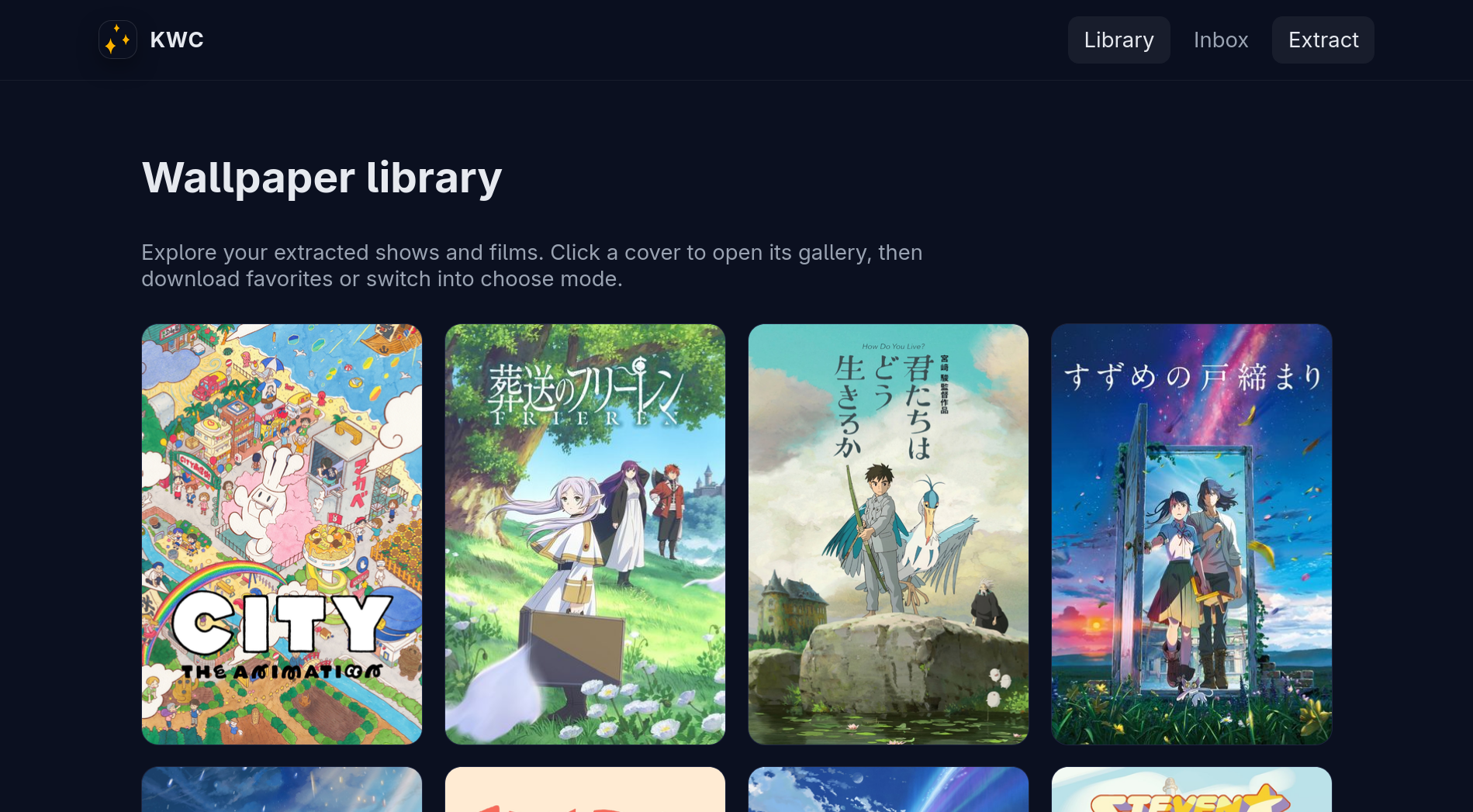
Description
Django-based web tool to grow, curate and manage my wallpaper collection, that consists mainly of frames from animated movies and series. It is also the project where I experiment with the newest AI technologies and tools so I can learn how to use them effectively.
The project has three main parts: an extractor, that supplied a video file will produce the best frames (not just evenly spaced ones); a chooser, that lets me select the images I want to keep in a convenient swipe left/right interface I can use in my desktop and on the go with my phone; and a manager, that lets me view, download, delete, etc… the images in my collection, grouped by movie/series (and inside series, by season and episode) with rich metadata. This all works in a stateless manner over my local wallpaper folder.
My Work
I have made and remade this project by hand multiple times and in many shapes: as a CLI, as a local Adwaita app, and now, as a Django webapp. I already understand the problem space, the shape of the final application, the requirements, and the main pain points that this project has. Additionally, this is an internal tool, used only by myself, and not in any way crucial or needed, so it is okay if it breaks.
This makes this app perfect for testing and experimenting with all the interesting new tools using LLMs, agents, etc. I can evaluate them and see where they succeed, where they fall short, and where they fail completely, and I can learn how to use and take full advantage of them.
I have mainly been using GitHub Copilot, both in the VSCode editor, in the CLI and in the GitHub web interface, since that is what I have access to at the moment, although I want to test many other tools and models. With these tools I create a plan for implementation, execute it, test it locally and through automated unit tests, and later revise thoroughly the additions in the PR. Some of these steps are made entirely by an LLM and some entirely by me, but most are a mix between the two.
I was especially interested in the extraction part, since the rest of the app is mostly an interface over a folder and basic move/rename/delete mechanisms. In the first iterations of this project I developed a custom algorithm from scratch to be able to analyze the video file and extract the frames. Not just X frames per second, which produces an insane amount of images (most of them duplicated), but actually intelligent detection of when the video changes, and which images are “better” (lack of blur, still frames, keyframes instead of in-betweens…). This was done through the use of mathematical tools like perceptual hashing, color analysis and blur detection over a rolling window to locally detect the most “stable” frame. However, this approach was not performant and difficult to parallelize, mainly because of the file reading bottleneck.
Later iterations make instead use of ffmpeg to produce these keyframes directly from the encoding of the video file, which already packages an approximation of this information. Since a video is encoded using keyframes as anchors and diffs from the keyframes to store the in-betweens, by using the encoding’s keyframes I can get a set of images that are normally really close to the real keyframes of the animation. Additionally, this process is highly parallelizable because no analysis is being done, just extraction from the video file.
I also added an optional and configurable deduplication step to further reduce the number of frames to select to a manageable number.
What I Learnt
- To process a video file using tools like perceptual hashing, color analysis and blur detection to extract its keyframes
- How a video file is encoded, what information the encoding holds, and how to extract keyframes efficiently using that information
- How to use different AI tools, what they can and cannot do, and how to make the most out of them in different contexts and for different tasks.
Gallery

The home page
The home page
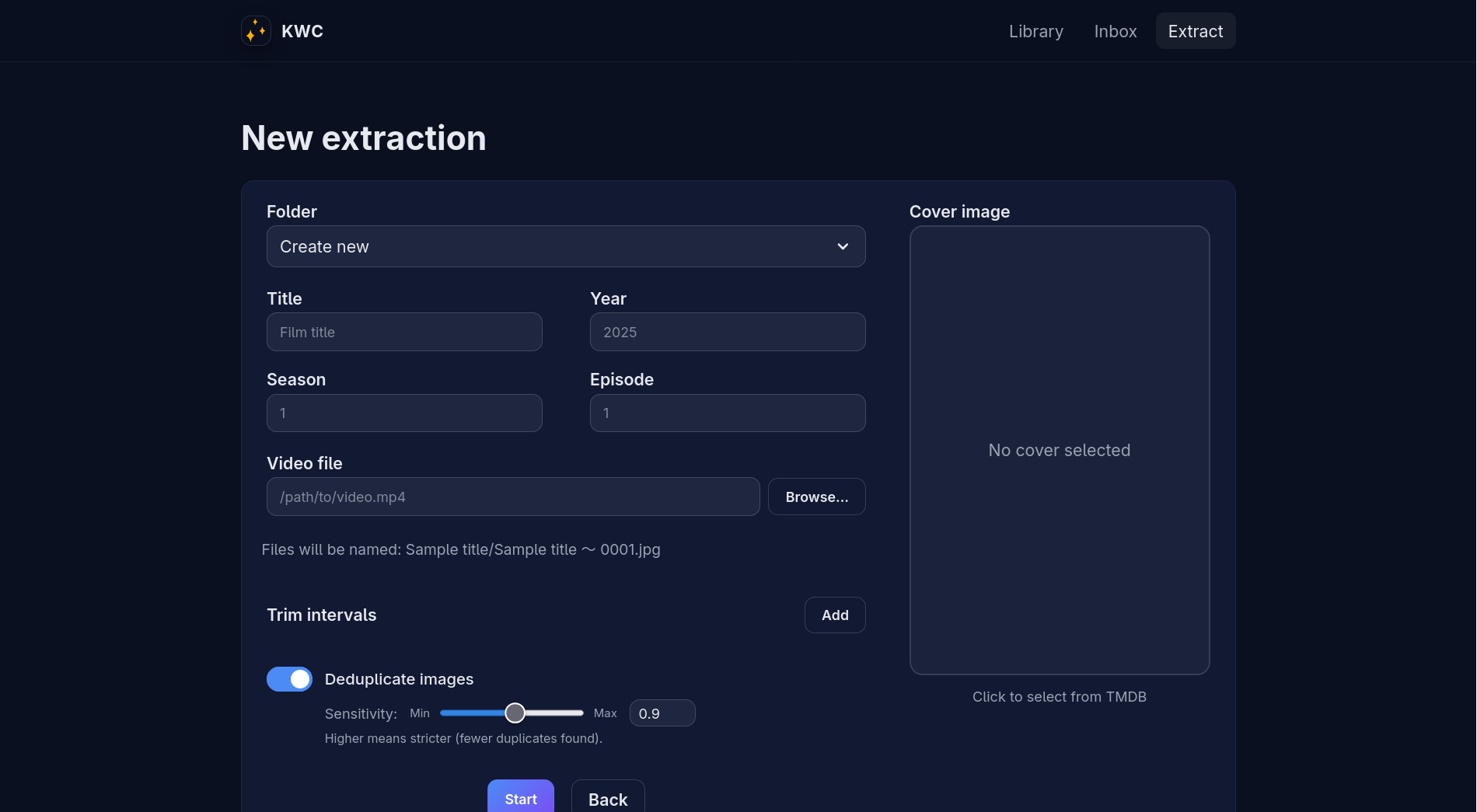
The extraction form
The extraction form

The inbox for newly extracted frames to classify
The inbox for newly extracted frames to classify
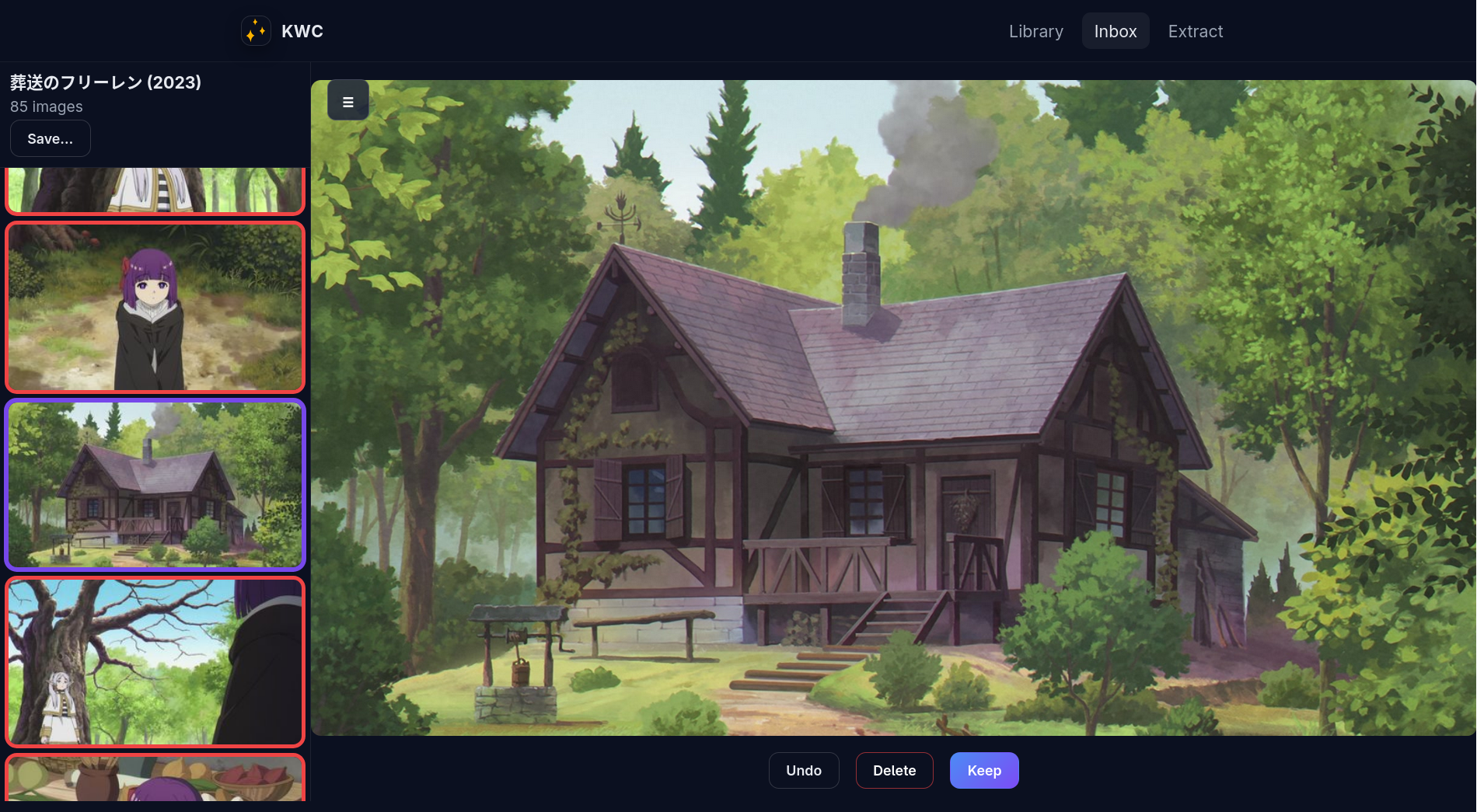
The choose interface on desktop
The choose interface on desktop
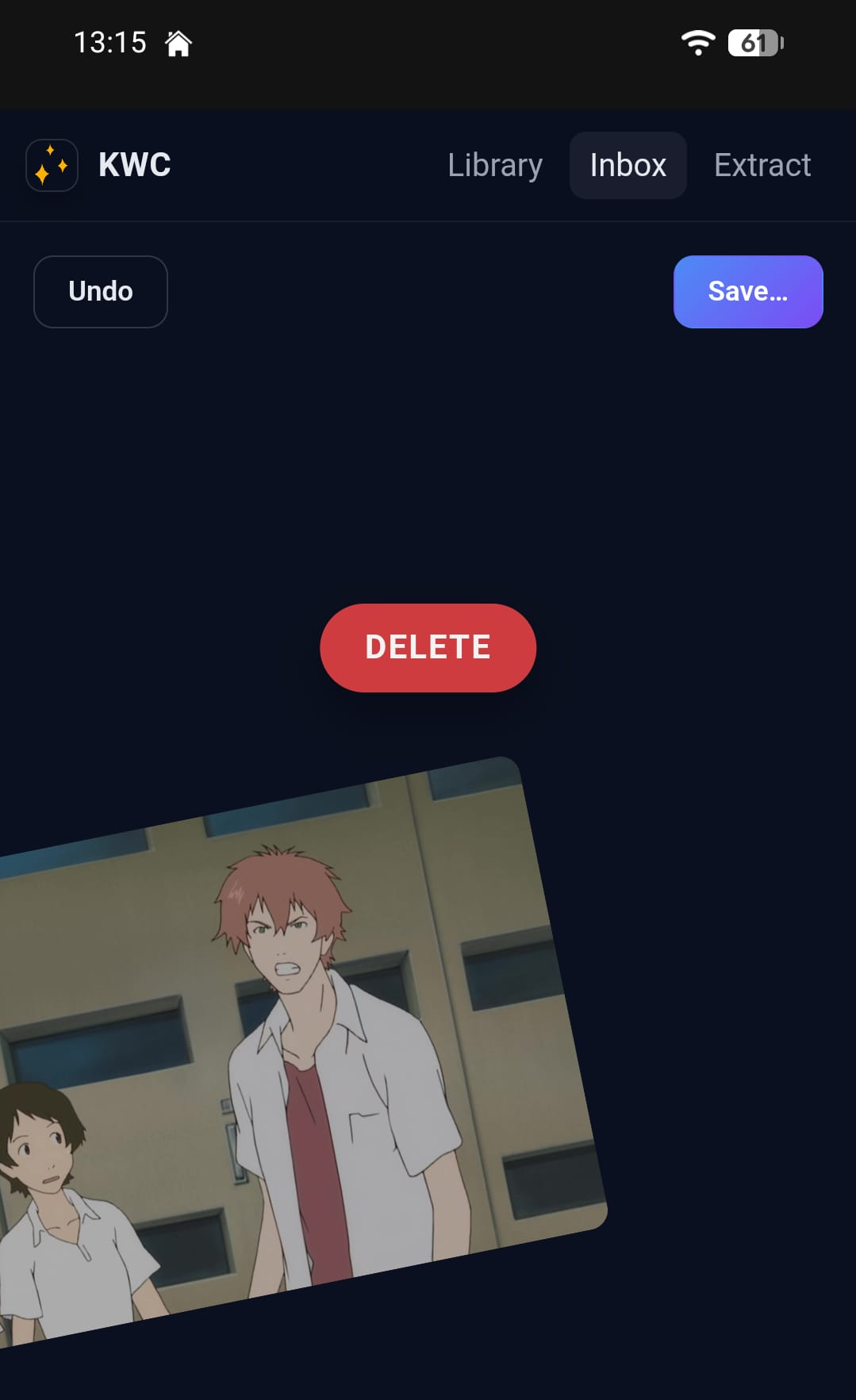
The swipe to choose interface on mobile
The swipe to choose interface on mobile